
Decision tools
One scenario. Four ways to make a better decision.
Start with the economics of the deal, then test what happens when assumptions move, identify the biggest vulnerability, and see what would need to change to reach your target.
The decision flow
Each tool answers the next question
The tools work on the same scenario, in order. Each one starts from what the previous one showed you.
- 01
Analyze
“What does this deal really leave me?”
The real margin, profit and cost of the deal as it stands, measured against your target.
- 02
Stress Test
“What happens if a key assumption moves against me?”
Change a cost, fee or FX assumption and see whether the decision still holds.
- 03
Resilience
“Which adverse scenario hurts me most?”
Compare several shocks against the same baseline and find the one that costs the most profit.
- 04
Improve My Margin
“What must change to reach my target?”
Pick one lever and see the value it would need for the deal to reach your target margin.
01 Analyze
Start with the real economics of the deal
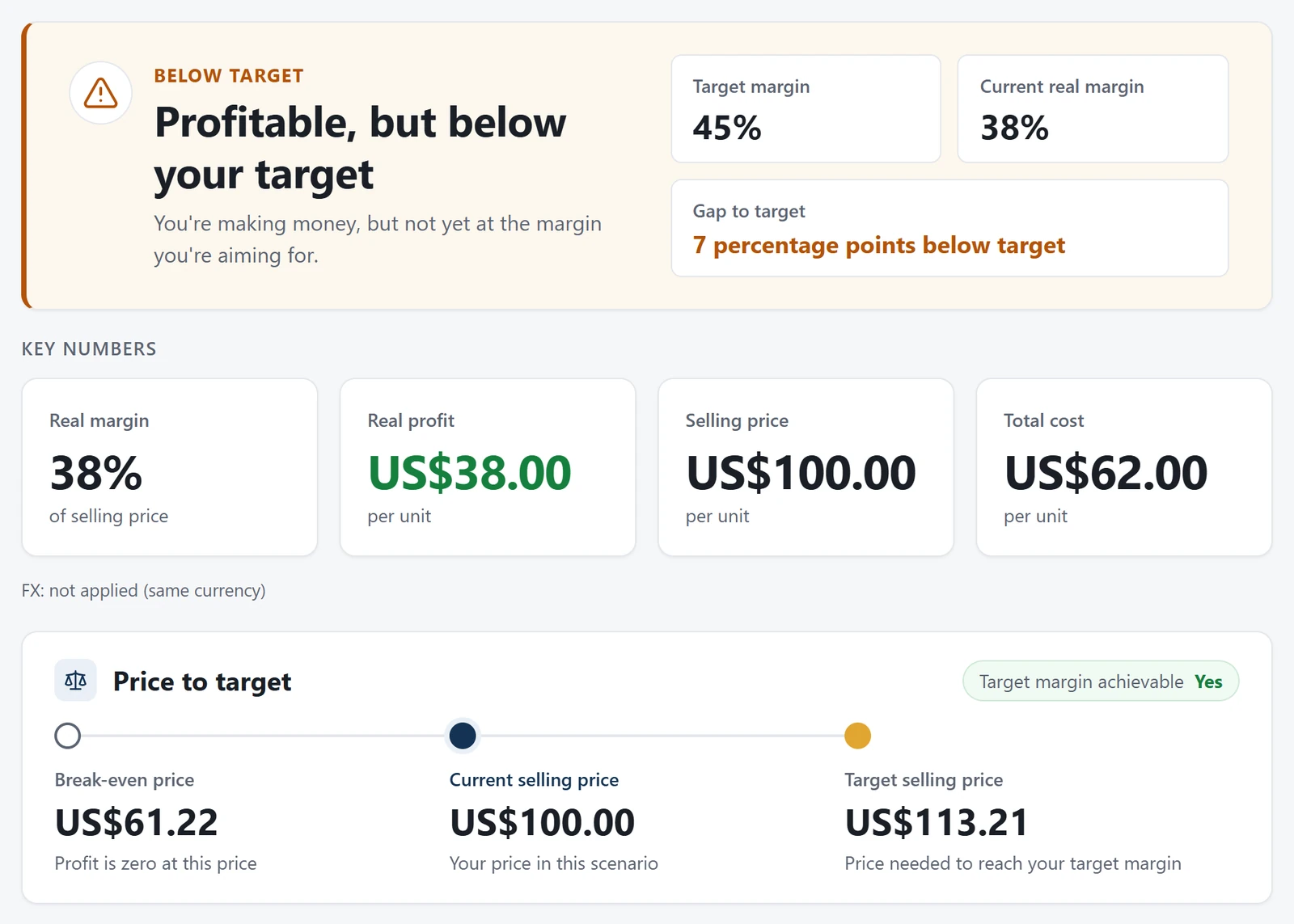
Analyze is the starting point. Enter the deal once and see what it really leaves you before you commit, measured against the margin you are aiming for.
- Real margin and real profit
- Total cost
- Gap to your target margin
- Break-even price
- Target selling price
02 Stress Test
See whether the decision still holds
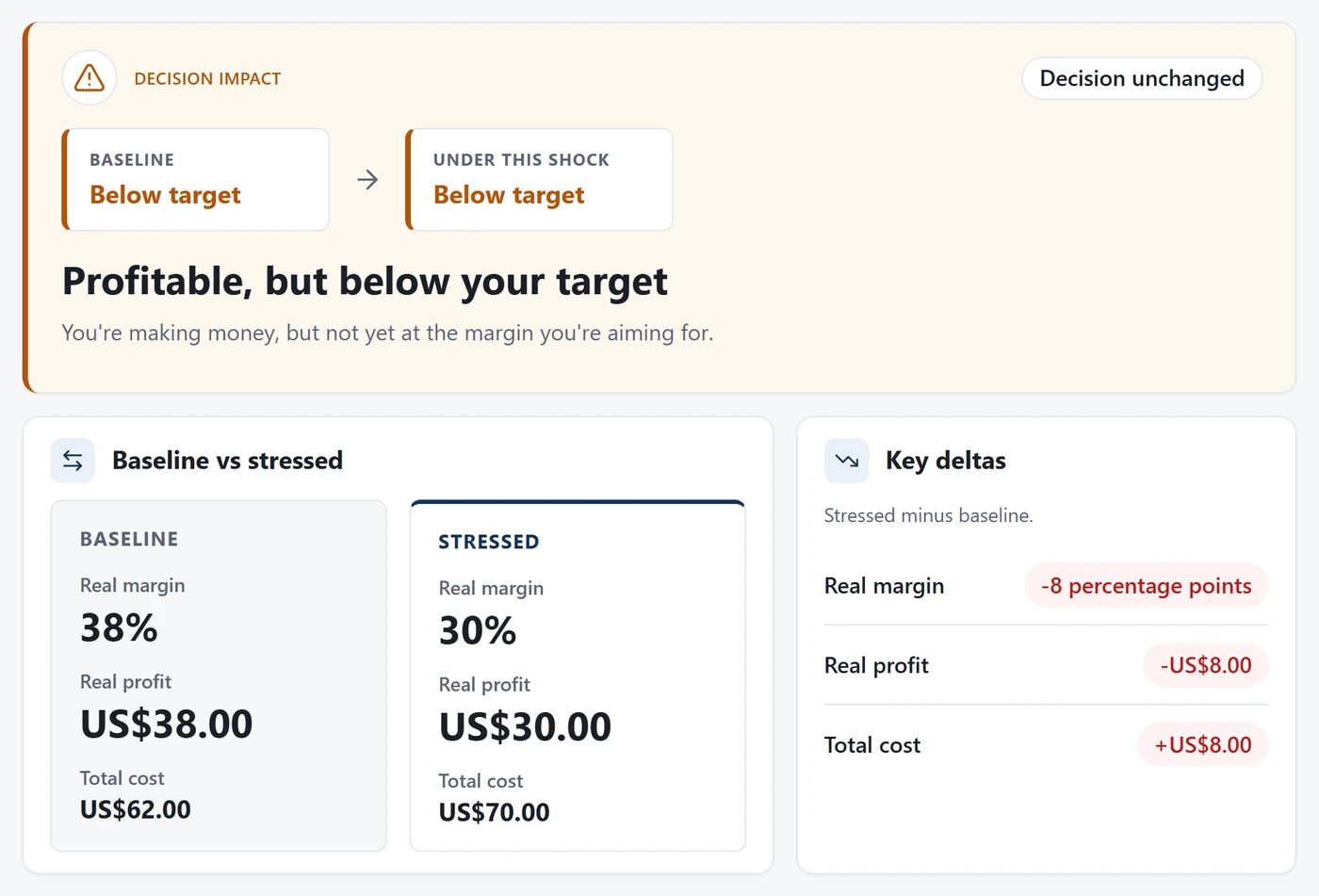
Stress Test applies explicit changes to the scenario you analyzed and compares the baseline with the stressed result, including whether the decision changes.
- Cost shocks are percentage changes, such as purchase cost +10%
- Fee shocks are percentage-point changes, such as payment fee +1 point
- An FX shock replaces the exchange rate with the rate you enter
03 Resilience
Find the scenario that hurts most
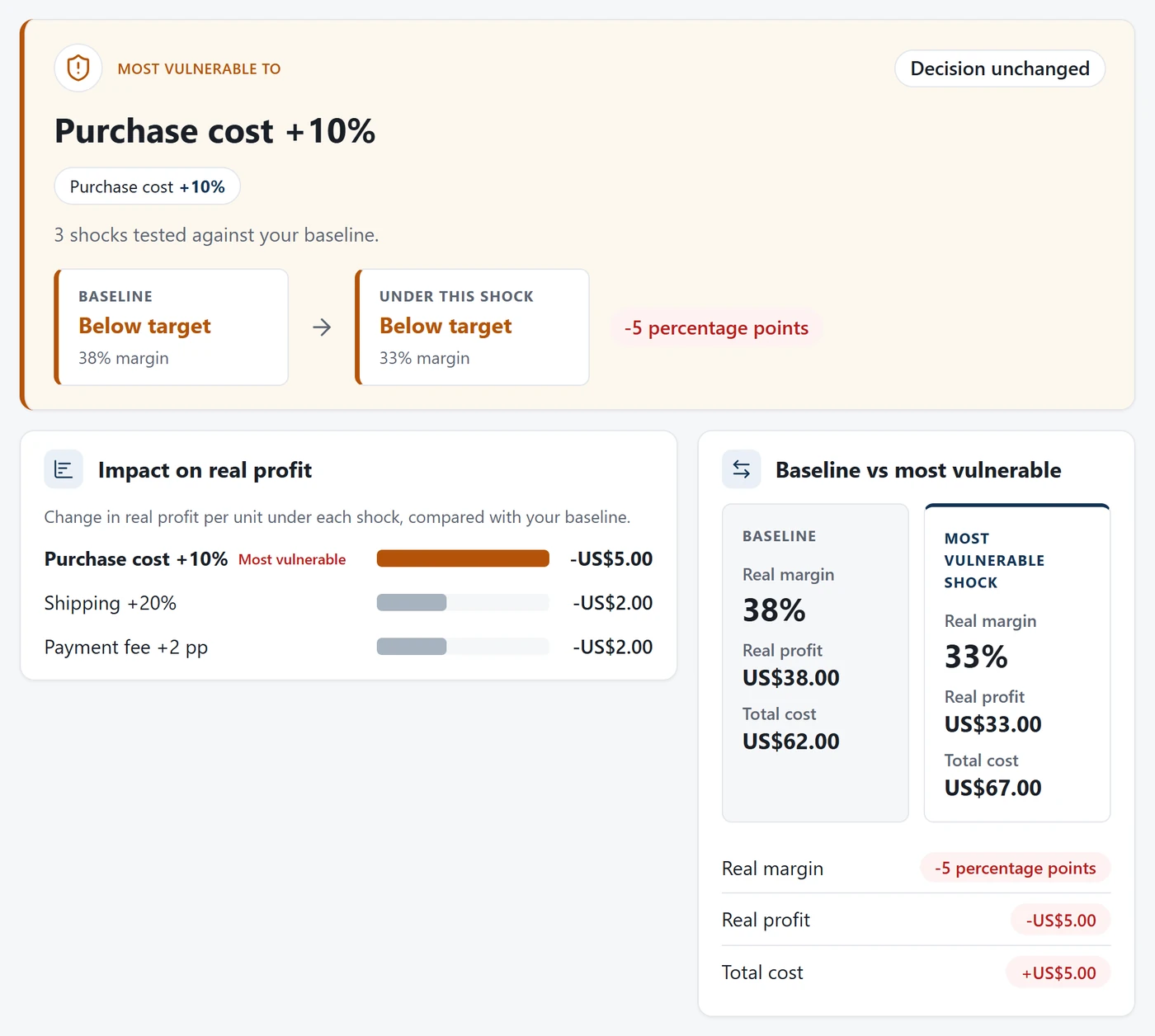
Resilience runs several adverse shocks against the same baseline and compares their impact on real profit, so you can see which one the deal is most vulnerable to.
- Compare several shocks in one run
- See the change in real profit under each one
- Identify the most vulnerable scenario and whether the decision changes
- Only the shocks you choose are compared. It is not a forecast.
04 Improve My Margin
Work back from your target
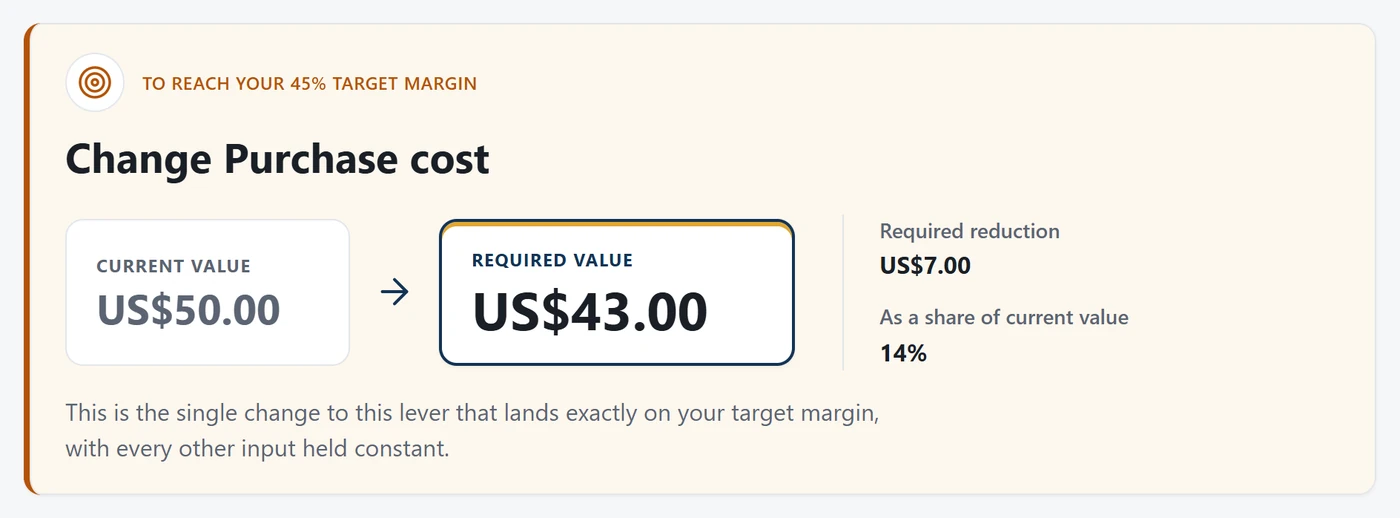
Improve My Margin takes one lever, such as purchase cost, a cost line or a fee, and shows the value it would need for the deal to reach your target margin, with every other input held constant.
- Choose one available lever
- Use the target margin set in your scenario
- See the required value and the change from today
- If that lever alone cannot reach the target, MarginGuides tells you
The full Analyze result is included in every plan, and Stress Test, Resilience and Improve My Margin in Professional. During Beta, all of them are free to use.
One connected decision workflow
- Analyze
- Stress Test
- Resilience
- Improve My Margin